A konnected smart garage door opener is the kind of upgrade I like: modest cost, useful every day, and flexible enough to avoid locking your house into one app. My garage door was already doing the heavy lifting, so replacing the whole opener would have been wasteful. The better approach was adding a controller that could report the door's position, trigger the existing motor, and feed that information into Home Assistant.
The important distinction is that this is not magic motor technology. A retrofit controller generally acts like a very fast, very reliable finger pressing the wall button. A separate magnetic contact tells the system whether the door is open or closed. That combination creates useful automation without asking you to replace a working ceiling-mounted opener.
What the Konnected setup actually does
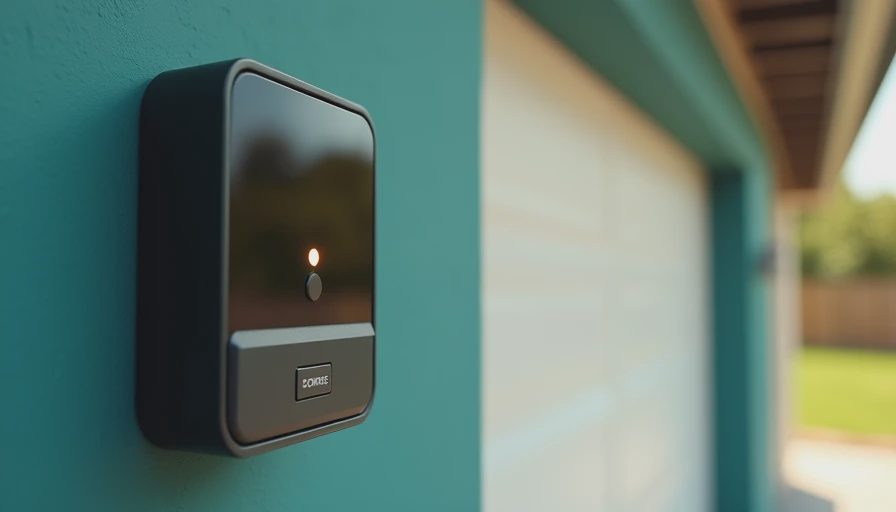
The konnected smart garage door opener connects to the low-voltage control wiring or opener terminals, depending on the installation and hardware you have. It does not normally replace the high-voltage motor assembly. That matters because garage door openers are not a casual place to experiment with household power. The safe project is usually on the wall-button side, where the voltage and current are far lower, but the opener's manual still wins if its terminals differ from the common layouts.
The controller needs two kinds of information. First, it needs an output that can momentarily close the same circuit as the wall button. Second, it needs a sensor input that confirms the door's actual position. Do not skip the second part. A timer that assumes the door opened successfully is like a thermostat assuming the furnace fired. It can be wrong while appearing perfectly confident.
In my house, the sensor is the source of truth. Home Assistant sees open, closed, or an unexpected state, and automations use that state rather than a simple command history. The result is less impressive on a product page but much more dependable at 6:15 a.m. when I am carrying a coffee, a baseball bag, and a child who has misplaced one shoe.
Installation details that determine whether it works
Before buying anything, identify the opener brand, the wall-control terminals, the available Wi-Fi signal, and a suitable mounting location. Chamberlain, LiftMaster, Genie, and other brands do not all use the same control logic. Some newer openers use proprietary communication systems rather than a basic dry-contact button circuit. That is where a universal-looking retrofit can become a frustrating afternoon.
I made the classic mistake of mounting the controller before measuring the Wi-Fi signal. The garage had an acceptable connection near the house wall and a terrible one above the door rail. Moving the controller about six feet improved reliability more than any software adjustment. If the garage is detached, plan for a network connection that works through weather, siding, and distance. A mesh access point or Ethernet-connected bridge can be more useful than repeatedly rebooting the opener.
Mount the door sensor on a rigid surface, and align its two pieces when the door is fully closed. A loose sensor can report closed while the door is still raised a few inches. Route low-voltage wire away from moving hardware and the torsion spring. You do not need to turn this into a cable-management art project, but you do need enough slack for vibration and seasonal movement.
The konnected smart garage door opener is most appealing when you treat installation as a measurement problem. Test the contact, test the sensor, test the network, and then test the automation. Changing three things at once makes troubleshooting unnecessarily painful.
Home Assistant automations worth keeping
The first automation should be a notification, not an elaborate voice assistant routine. I set an alert if the door remains open for 15 minutes during a typical weekday evening. That catches the forgotten door without nagging anyone every time groceries come in. A second automation sends a reminder around bedtime, but it only runs when the door is open and the house is occupied.
Location-based closing can be convenient, but I would not let a phone location trigger a blind close. The system should require additional conditions, such as no motion in the garage for several minutes, the door having been open for a reasonable period, and nobody currently using the garage. Even then, I prefer a confirmation notification with a large action button. Convenience should not outrank visibility.
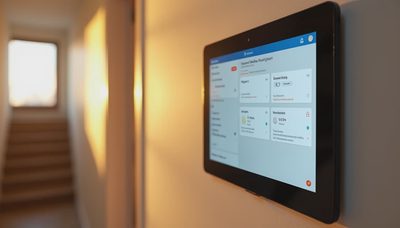
A useful dashboard card shows the current position, the last transition time, and whether the controller is online. The last transition is especially valuable. If the door says closed but has not changed state for three weeks, that may be normal during a vacation, or it may indicate a sensor problem. Good automation exposes uncertainty instead of hiding it.
The konnected smart garage door opener can also become part of a broader arrival routine. When I arrive home after dark, the exterior lights can turn on if the garage opens. The condition matters: the lights should not run all night just because a sensor reported an event. Simple rules beat sprawling scenes that nobody wants to debug.
Security and privacy considerations
A connected garage door is a security device, so I treat it differently from a smart lamp. Use a strong, unique account password, enable multifactor authentication where available, and keep the controller and Home Assistant installation updated. If your smart-home server is exposed directly to the internet, stop and fix that architecture before adding a door control. A secure remote-access method is preferable to forwarding random ports from the router.
The sensor should also be visible in the physical garage. If the system says closed but the door is visibly open, fix the hardware rather than trusting the dashboard. I keep a manual wall button available, and everyone in the family knows how to use it. Automation should add options, not remove the basic controls that work during a network outage.
For privacy, local control is a meaningful advantage. A local Home Assistant integration can keep routine status changes inside your home network, while cloud services may send events through a vendor's servers. Neither approach is automatically perfect. I care less about ideological purity than knowing which path the data takes and what happens when the internet disappears.
Cost, energy use, and practical value
A retrofit project commonly lands somewhere around $60 to $150 for the controller, sensor, wire, mounting supplies, and any network equipment. Paying an installer adds labor, but it can be sensible if the opener has unusual terminals, the wiring is inaccessible, or the door itself needs service. A new opener can cost several hundred dollars before installation, so reusing a healthy motor is often the cleaner financial decision.
The energy savings are not dramatic. The controller uses a small amount of standby electricity, and opening the door more intelligently does not transform the utility bill. The real benefits are fewer unnecessary trips, better awareness, and the ability to coordinate garage lighting with actual use. If you are trying to reduce energy consumption, occupancy sensors and efficient LED fixtures will usually produce a clearer result than the opener alone.
My HouseOS dashboard tracks the controller's online state, door transitions, and garage light runtime. That data exposed one unexpected habit: we were leaving the garage lights on for hours after unloading the car. The automatic shutoff saved more energy than the door controller itself, which is exactly why I like connected devices tied to real measurements.
Is this retrofit right for your garage?
Choose the konnected smart garage door opener when the existing motor works, you want local automation options, and you are comfortable tracing low-voltage wiring. It is a particularly good fit for homeowners already using Home Assistant and willing to spend an hour validating sensor placement and network coverage.
A replacement opener makes more sense when the current motor is noisy, unreliable, lacks modern safety features, or has damaged hardware. Do not use a smart controller to paper over a door that binds, shakes, or reverses unexpectedly. Mechanical problems belong with a qualified garage-door professional; springs and lifting hardware can store dangerous energy.
The konnected smart garage door opener is not a glamorous renovation. It is a small control layer that makes an ordinary machine more observable and less forgettable. Install it carefully, keep the sensor honest, and design automations that fail safely. Your house should work for you, not the other way around.



Letters
No letters yet — be the first to write.