An esp32-wroom-32 dev board is one of the most useful little controllers I have put into my house. It costs roughly $6 to $15, connects to Wi-Fi, reads sensors, and can report temperatures or electrical data to Home Assistant without needing a cloud account. That combination makes it a practical tool for homeowners who want measured improvements, not another smart gadget that becomes obsolete in two years.
I use small microcontrollers for the unglamorous parts of efficiency work: checking whether a basement door is open, logging the temperature near a heat pump water heater, and triggering a ventilation fan when humidity climbs. The board is not a substitute for a properly installed thermostat, electrical monitor, or safety control. It is the inexpensive measurement layer that helps you understand what the house is doing.
What the board actually is
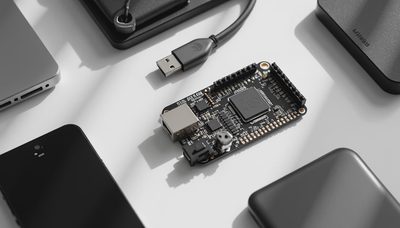
The name describes a development board built around Espressif's ESP32-WROOM-32 module. The module contains the ESP32 chip, wireless radios, memory, and shielding. The development board adds a USB connector, voltage regulation, buttons, and accessible pins so you can program and connect it without designing a circuit board from scratch.
That distinction matters because not every esp32-wroom-32 dev board has the same layout. One board might use a CP2102 USB-to-serial chip, while another uses a CH340. Both can work well, but your computer may need a different driver. Pin labels, antenna placement, USB connector type, and regulator quality also vary. I have bought boards that looked identical online and had different pin numbering, which is an irritating discovery when you are standing on a ladder with a screwdriver.
The ESP32 platform generally provides 2.4 GHz Wi-Fi and Bluetooth, multiple digital inputs and outputs, analog inputs, and hardware interfaces such as I2C and SPI. Those features are enough for common home projects, including temperature probes, current sensors, leak detectors, contact sensors, and simple relay control. You do not need to use every pin, and you should not connect household voltage directly to one.
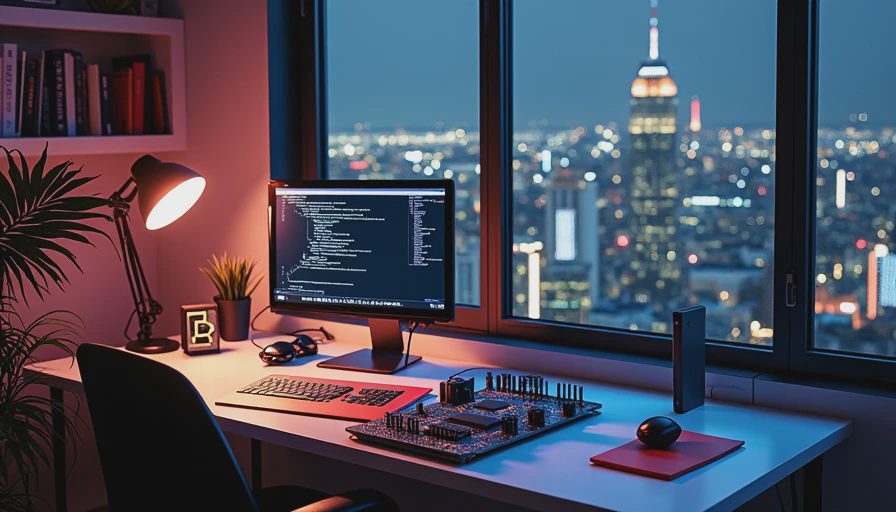
Why I use an esp32-wroom-32 dev board around the house
The first reason is cost. A packaged commercial sensor can easily cost $25 to $80, especially when it includes a battery, enclosure, and branded app. An esp32-wroom-32 dev board plus a temperature sensor and a small project box can land below $20. That does not include your time, but it gives you control over the data and the repair process.
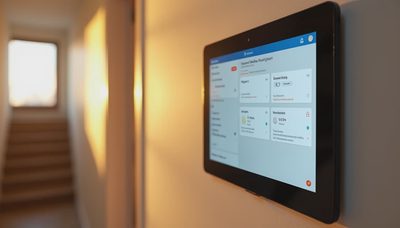
The second reason is local visibility. With ESPHome, the board can communicate with Home Assistant over your local network. A reading can appear in a dashboard, feed an automation, or be stored for months in InfluxDB and Grafana. My HouseOS dashboard shows the garage temperature, fermentation chamber temperature, and several equipment runtimes. The useful part is not a colorful graph. It is seeing a pattern that changes a decision.
For example, I added a temperature sensor near the heat pump water heater before changing its operating schedule. The data showed that the room warmed noticeably during recovery cycles and that the effect was concentrated in the afternoon. That did not produce a dramatic utility-bill claim, but it helped me decide when to run the unit and whether the room needed better air circulation.
Choosing the right board and sensors
When buying an esp32-wroom-32 dev board, I look for a reputable seller, a clearly labeled pinout, a USB connection that matches the cables in my toolbox, and a board with a reset or boot button. The smallest bargain is not always the lowest-cost project. A missing driver, flaky regulator, or confusing pin label can consume an evening.
For temperature, a DS18B20 probe is a good starting point because it uses a simple digital connection and can be purchased with a long waterproof cable. For room humidity, a BME280 or similar sensor provides temperature, pressure, and humidity data. A reed switch works for doors and windows. For electrical measurements, use a properly enclosed current transformer or a commercial energy monitor designed for the job. Never improvise around exposed panel conductors.
Power planning is just as important as sensor selection. A USB-powered board is easy for a basement or utility-room installation. Battery operation is more complicated because Wi-Fi consumes meaningful energy during connection and transmission. Deep sleep can extend battery life, but it also changes how quickly the device responds and how reliably it appears online. For a permanently installed sensor, I prefer a listed USB power supply and a strain-relieved enclosure.

Installing it without creating a new problem
Treat an esp32-wroom-32 dev board like a small electronic appliance, not like a loose circuit board that belongs behind drywall. Put it in an enclosure, keep it away from condensation, and leave enough room to unplug the USB cable. In a mechanical room, mount the enclosure where vibration and service work will not damage it. In a garage, account for temperatures that are far outside a comfortable living-room range.
Start on a workbench. Flash the firmware, confirm the sensor readings, and watch the device for at least a day before mounting it. Label the cable and record the GPIO pin used. This sounds excessive until you have three identical boards installed and cannot remember whether the humidity sensor used GPIO 21 or GPIO 22.
If the project controls a fan, valve, or other load, use a relay module with appropriate ratings and a safe enclosure. A low-voltage controller should not be treated as a replacement for a listed line-voltage control. For anything involving a breaker panel, furnace wiring, or high voltage, use a qualified electrician. I am comfortable reading a meter and tracing a circuit, but confidence is not a substitute for safe procedures.
ESPHome and Home Assistant setup
The easiest path for most homeowners is ESPHome. Install the ESPHome add-on or command-line tool, create a device configuration, select the board family, and connect the sensor definition to the appropriate pin. The first firmware upload usually happens over USB. Later updates can often happen over the network, which is a major convenience when the board is mounted above a water heater.
An esp32-wroom-32 dev board should receive a fixed or reserved address on your home network. That prevents a changing IP address from making troubleshooting needlessly confusing. I also name devices by location rather than by purchase order. “Basement west humidity” tells me more than “ESP32-04.”
In Home Assistant, use sensible units and calibration. Compare a new temperature sensor with a trusted thermometer for a day before relying on it. If the sensor reads two degrees high, record the offset rather than pretending the number is precise. Data quality matters more than dashboard complexity. A clean, stable reading can reveal a ventilation problem; a noisy graph cannot.
Common mistakes and the payoff
The most common mistake is expecting the board to fix an energy problem by itself. It cannot insulate an attic, repair duct leakage, or make a resistive heater efficient. What it can do is reveal runtime, temperature swings, and occupant patterns that point toward a worthwhile improvement.
I also learned not to bury the board inside a metal electrical enclosure. Wi-Fi performance suffered, and the device dropped offline often enough to make the data unreliable. Moving it a few feet and using a plastic enclosure solved the problem. Another mistake was placing a humidity sensor directly above a shower, where condensation made the readings nearly useless.
A useful project might cost $15 for the controller and sensors, plus an hour or two of setup. If the resulting data helps you avoid a $300 unnecessary gadget purchase or identifies a $50 ventilation fix, it has already earned its place. Larger projects can justify more expensive equipment, but start with a question: What do I need to measure, and what decision will the measurement change?
The esp32-wroom-32 dev board is not magic, and it is not the answer to every smart-home project. It is a cheap, flexible instrument for turning a vague suspicion into a graph. Used carefully, it helps your house work for you, not the other way around.

Letters
No letters yet — be the first to write.