An esphome thermostat is one of the most useful smart-home projects I have built, but it is not just a screen on the wall. Done properly, it gives Home Assistant reliable temperature data, controls your HVAC system without a cloud account, and lets you compare comfort decisions with actual energy use. My first version cost about $65 in electronics and took a Saturday. The second version took another evening because I made the classic mistake: I trusted one wall sensor too much.
This project is a good fit for homeowners who want local control and already have Home Assistant running. It is less attractive if you want a polished, contractor-installed thermostat with a phone app and no configuration. The payoff is visibility. Instead of guessing why the furnace ran for three hours, you can see room temperature, outdoor temperature, runtime, and schedule changes in one dashboard.
What an esphome thermostat actually does
ESPHome is firmware that runs on inexpensive microcontrollers such as the ESP32. You describe the device in a readable configuration file, compile it, and install it over Wi-Fi or USB. The board then reports sensors and switches to Home Assistant using a local connection. Think of it as turning a small circuit board into a purpose-built appliance rather than buying another sealed gadget.
An esphome thermostat usually has three jobs. It measures temperature, decides whether heating or cooling is needed, and sends a low-voltage call to the HVAC equipment. Some builds add humidity, occupancy, remote room sensors, a display, or a physical dial. The control signal is not high-voltage power; it is typically a 24-volt thermostat circuit. That distinction matters because the wiring is simpler than line-voltage work, but a mistake can still damage a furnace control board.
My practical recommendation is to separate measurement from decision-making. Let the ESP32 report accurate readings, while Home Assistant handles schedules and broader logic. This makes troubleshooting easier. If the living room sensor is wrong, I can correct the sensor without rebuilding every automation.

Parts and cost before you open the wall
A basic esphome thermostat needs an ESP32 development board, a temperature sensor, a case, terminal connectors, and a way to switch the HVAC call safely. A small OLED display is optional. Expect roughly $35 to $90 for a clean prototype, depending on whether you buy a prebuilt relay board and add a display. A finished wall-mounted version with a quality enclosure can land closer to $120.
For temperature sensing, I prefer a digital sensor such as the Dallas DS18B20 when the probe can be mounted away from the electronics. A BME280 can add humidity and pressure, although pressure is not especially useful for thermostat control. Avoid putting the sensor directly above the ESP32 voltage regulator. That tiny component produces heat, and a sensor mounted beside it can read a degree or two high.
The most important part is the output stage. Use a relay or HVAC interface designed for low-voltage control, with clearly marked terminals and protection against electrical noise. Do not assume a random four-channel relay board is appropriate because its listing says 24 volts. Verify its contact ratings, isolation, and coil requirements. The board must work with the available common wire and the control voltage from your equipment.
Wiring without turning the furnace into a science experiment
Before disconnecting anything, photograph the existing thermostat terminals and label every conductor. Common labels include R for 24-volt power, C for common, W for heat, Y for cooling, and G for the indoor fan. Heat pumps and auxiliary heat can add O, B, or W2, so do not rely on wire color alone. Terminal labels matter more than insulation color.
Turn off power to the furnace or air handler before working. A thermostat wire is low voltage, but the equipment cabinet can contain dangerous line voltage. I use a multimeter to confirm that the control circuit is dead, then check the wiring again before applying power. If you find an unfamiliar heat-pump setup, multiple transformers, or damaged wiring, stop and bring in an HVAC technician.
My first esphome thermostat prototype had a software problem that looked like bad wiring. The relay logic was inverted, so the system called for heat when the dashboard said idle. I caught it before connecting the equipment by testing each output with a lamp and meter. Build a bench test first. Confirm that idle, heat, cool, and fan states behave as expected before the device controls a real compressor.
Configuration and Home Assistant logic
The configuration should define the sensor, network connection, outputs, and climate behavior. Keep names obvious, such as living_room_temperature and hvac_heat_call. Good names save time six months later when you are staring at an automation at 6:30 a.m. with one child late for school.
An esphome thermostat can use a simple heat or cool action, but I prefer Home Assistant to enforce limits. A heating automation might call for heat below 68 degrees and stop at 69. A cooling automation could start at 76 and stop at 75. That one-degree deadband prevents rapid cycling. Short cycling is hard on equipment, wastes energy, and often indicates poorly chosen thresholds.
Add a minimum run time and minimum off time where your HVAC equipment supports it. A furnace and air conditioner do not respond like smart bulbs. They need time to start, move air, and settle. Include a failure mode as well: if the sensor becomes unavailable, the system should stop making aggressive decisions and notify you.
Making the data useful for energy savings
A thermostat dashboard is only valuable if it changes behavior. I track indoor temperature, outdoor temperature, HVAC calls, fan runtime, and whole-home electricity. In Boise, the same 68-degree setpoint can produce very different runtime on a sunny 40-degree day versus a windy 20-degree day. That context keeps me from blaming the heat pump for weather it did not create.
An esphome thermostat also makes setback experiments easier. I tested a modest overnight change rather than dropping the house several degrees. The data showed less morning recovery time and fewer complaints from Taryn, which is a better result than chasing a theoretical maximum. Comfort is part of the project. Saving energy while making everyone miserable is not a successful automation.
If you have room sensors, use them carefully. Averaging a cold basement sensor with a sunny upstairs sensor can produce a number that describes neither room. A better approach is to select the occupied room, use a weighted average, or simply limit the system to a sensor in the area where people spend the evening.
Mistakes I would avoid on the next build
The first mistake is treating Wi-Fi as guaranteed. Put the device on a stable network, give it a reserved address, and configure a useful unavailable alert. A thermostat that silently disappears at midnight is not smart. Local control keeps the basic system functional, but your network still needs sensible maintenance.
The second mistake is adding too many features at once. Start with temperature and one HVAC function. Add cooling, fan control, humidity, displays, and occupancy after the basic loop has run reliably for a week. Every extra sensor creates another failure point and another dashboard tile nobody checks.
The third mistake is ignoring the enclosure. Exposed terminals and a loose circuit board are not acceptable on a family wall. Use an insulated case, strain relief, and secure mounting. Keep the sensor opening away from drafts, exterior walls, direct sun, and warm electronics. A beautiful dashboard cannot correct a physically bad installation.
Is this project worth doing?
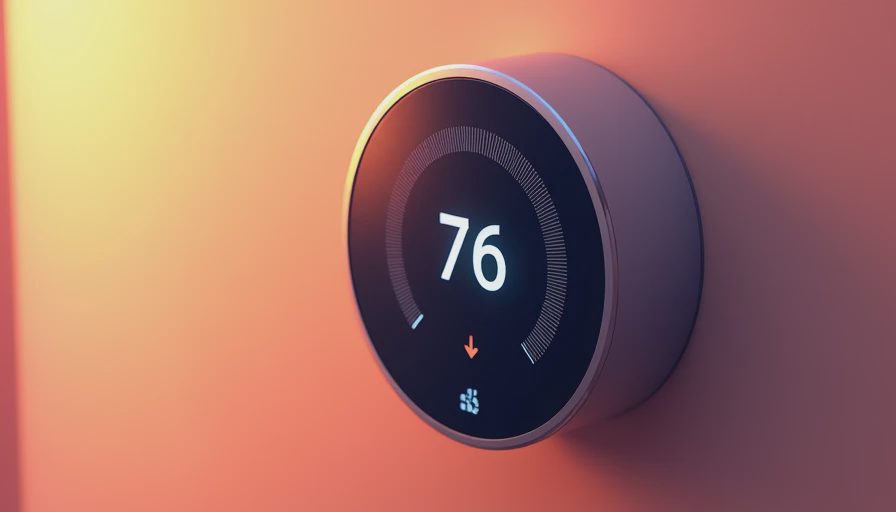
An esphome thermostat will not automatically cut your heating bill by a fixed percentage. The savings come from better schedules, fewer accidental overrides, accurate sensors, and the ability to see what the equipment is doing. If your existing thermostat already handles those jobs well, the financial payback may be slow. The value is stronger when you have a heat pump, multiple zones, remote rooms, or a broader Home Assistant energy setup.
I would budget one full day for a careful first installation and another hour for testing after the system has operated through several heating or cooling cycles. Photograph the original wiring, bench-test every output, and log the first week of runtime. Start with a boring, reliable controller before chasing a wall display that looks like a spaceship.
The best smart-home upgrade is the one your family stops noticing because it simply works. An esphome thermostat can get you there while keeping the data local and the logic understandable. Your house should work for you, not the other way around.
Letters
No letters yet — be the first to write.