Smart home technology integration is less about filling your house with talking gadgets and more about making the equipment you already own cooperate. A thermostat, heat pump, water heater, lights, and utility meter should share useful information instead of creating five separate apps. In my 2,400-square-foot Boise house, that approach cut standby and scheduling mistakes without turning family life into a troubleshooting session.
The practical goal is simple: use automation to reduce wasted energy, improve comfort, and remove repetitive decisions. Start with measurements, make one change at a time, and keep a manual control available. Your house should work for you, not the other way around.
Start with energy data, not gadgets
Before buying a smart plug or wireless sensor, collect a baseline. Look at twelve months of electric and gas bills, then identify the largest loads. In many homes, heating and cooling, water heating, refrigeration, and laundry matter more than a dozen connected light bulbs. A $25 smart plug cannot rescue an inefficient heat pump or a poorly sealed duct system.
I began with circuit-level monitoring on my main panel and a few plug-in meters for appliances. The first surprise was our garage fermentation chamber. It used less energy than expected, while the basement dehumidifier quietly ran for hours after the air was already comfortable. That discovery led to an automation based on humidity and runtime rather than a guess on the clock.
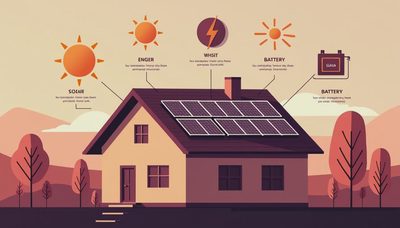
Good smart home technology integration turns raw readings into decisions. If indoor humidity rises above a set point, the dehumidifier runs. If solar production exceeds household demand, the water heater can use that lower-cost energy. If the house is empty, selected loads can shift into an efficient mode. The point is not constant automation; it is accurate timing.
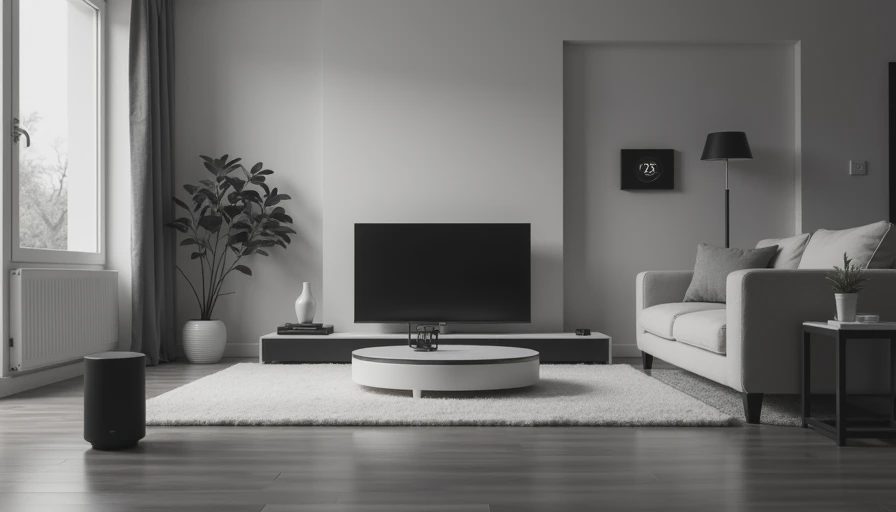
Choose a control layer that can survive change
A smart home needs a control layer, which is the software that lets devices communicate. Home Assistant is my preferred option for serious energy projects because it can combine equipment from different manufacturers and keep much of the data local. Apple Home, Google Home, Amazon Alexa, and manufacturer platforms can also work well for simpler setups. The right choice depends on your comfort level and the devices you already own.
I would not build a house around one brand logo. Products change, cloud subscriptions increase, and companies discontinue hardware. Favor devices that support common standards, local control, or an integration with a clear maintenance history. Matter and Thread are useful developments, but they do not eliminate the need to check compatibility before buying.
For example, a temperature sensor should report reliably from the far bedroom, a relay should be properly rated for its electrical load, and a smart thermostat must be compatible with the heating system. A pretty dashboard cannot correct a bad installation. Smart home technology integration works best when the control layer is treated like home infrastructure, not a phone accessory.
Automate the expensive loads first
The biggest savings usually come from controlling equipment that runs for long periods or draws significant power. A smart thermostat can adjust heating and cooling when the house is vacant, but avoid aggressive temperature swings that force a heat pump to work harder. Many heat pumps perform best with moderate, steady settings and properly configured backup heat.
A heat pump water heater is another strong candidate. Its control settings can schedule heating for times when solar production is high or electricity rates are lower, provided the household still has enough hot water. In my house, a simple afternoon recovery window works better than trying to micromanage every heating cycle.
Other worthwhile targets include basement dehumidifiers, electric vehicle charging, pool pumps, and resistance space heaters. A smart relay or energy-management device must be installed correctly, especially on high-amperage circuits. Do not place a consumer smart plug on equipment that exceeds its rating, and do not open a panel unless you are qualified to work safely.
Design automations people will not fight
The best automation is almost invisible. Lights should respond to occupancy and useful time windows, not switch off while someone is reading quietly. A ventilation fan can respond to bathroom humidity, but it should have a wall switch override. An EV charger can wait for a preferred rate period, but the homeowner needs a clear way to charge immediately before a trip.
I learned this the annoying way with an early occupancy routine. It shut down the office lights whenever the motion sensor saw no movement for ten minutes. That sounded efficient until Taryn sat still during online grading and the room went dark. I changed the rule to use time, door status, and manual input. It became less clever and far more useful.
A durable smart home technology integration plan uses simple rules with obvious names. Keep a written list of what each automation does, which sensor triggers it, and how to override it. If your family cannot explain why a light changed or a thermostat moved, the system needs better design.

Budget for installation, networking, and maintenance
A starter project can cost $300 to $800 for sensors, a hub, smart plugs, and a few controls. A more serious energy retrofit with panel monitoring, wired networking, electrician labor, and several equipment integrations can reach $2,000 to $7,500. A smart electrical panel or whole-home energy-management system can cost more, especially when permits and service upgrades are involved.
Do not ignore the network. Put fixed equipment on reliable Wi-Fi or Ethernet, use a separate network for less-trusted devices, and place the controller somewhere with stable power. If the internet fails, basic lighting and heating should still operate. Battery backup for the network and controller is inexpensive insurance against short outages, but it is not a substitute for a code-compliant electrical installation.
Maintenance is part of the budget. Sensors need batteries, integrations occasionally break, and firmware updates can change behavior. I review HouseOS once a month, export important energy data, and test manual controls twice a year. That routine takes less than an hour and has prevented several confusing failures.
A practical rollout plan for your house
Begin with an audit and write down the three loads that matter most. Next, install monitoring without changing behavior for at least two weeks. That gives you a baseline and prevents an attractive dashboard from becoming a source of bad assumptions.
Then choose one measurable project. You might automate an electric water heater, add humidity control to a basement, or schedule EV charging. Record the cost, the energy use, and the comfort result. If a $600 project saves $15 per month and solves a genuine annoyance, its simple payback is about forty months. That is a more honest evaluation than calling every connected device an investment.
Add complexity only after the first automation runs reliably. Label circuits, photograph wiring before changes, document passwords, and keep a physical fallback for essential systems. When contractors are involved, ask who owns the configuration after installation. Smart home technology integration is successful when the house remains understandable five years later.
The technology is exciting, but the measurements are what make it worthwhile. Connect the loads that consume real energy, select equipment that can be repaired or replaced, and design around the people living in the house. That is how a collection of gadgets becomes a useful home energy system—and how your house finally starts working for you.


Letters
No letters yet — be the first to write.