Reolink home assistant integration is one of the more practical ways to bring affordable security cameras into a local smart-home system. Instead of opening a separate phone app every time a camera detects motion, you can view feeds, trigger lights, and receive useful notifications from Home Assistant. I have tested this kind of setup in my Boise house, where the goal is not a wall of surveillance screens. It is simple automation that works when everyone is busy.
The important distinction is between a camera that merely streams video and one that provides useful events. A feed shows you what happened. A good Home Assistant setup can tell you that a person entered the driveway after dark, turn on a porch light, and avoid notifying you when the neighbor's cat crosses the yard.
What works with Reolink cameras
Reolink sells several camera families, and compatibility depends on the model and firmware. Many wired PoE models are particularly friendly to local setups because they can send video over Ethernet and receive power from the same network cable. Indoor Wi-Fi cameras can work too, but wireless reliability becomes part of the project. A camera that drops off the network is not a smart-home device; it is an intermittent appliance.
For Reolink home assistant projects, I prefer cameras with RTSP and ONVIF support. RTSP provides a video stream that Home Assistant or a separate recorder can use. ONVIF can expose motion events, profiles, and basic camera controls. Confirm those features for the exact model before buying. Reolink's product pages and firmware notes are more useful than assuming every camera in the catalog behaves the same way.
The official integration can add cameras and sensors to Home Assistant, but the experience is not identical across models. Some features, such as detection types or configuration controls, can depend on firmware. This is why I do not mount a camera permanently until I have tested its stream, night image, motion events, and reboot behavior on a workbench.
A clean network and installation plan
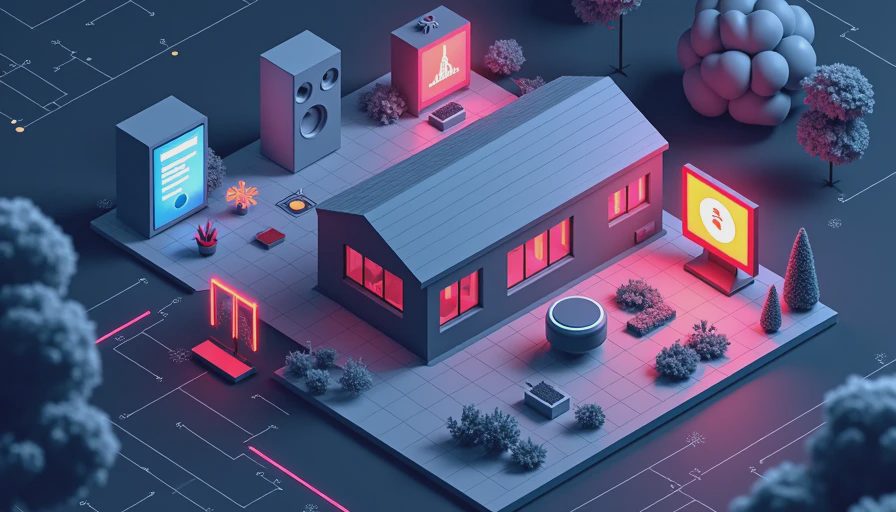
The best Reolink home assistant installation starts with the network, not the dashboard. Put PoE cameras on a wired switch with enough power budget. A four-camera system might need less than 40 watts in normal operation, but I still leave room for startup demand and future cameras. A managed switch is helpful, although it is not mandatory for a small house.
Give cameras stable addresses through DHCP reservations. This keeps Home Assistant from losing track of a device after a router reboot. I also place cameras on a separate network when practical, with access allowed to the Home Assistant server and the recorder but not to every laptop and phone in the house. This is basic segmentation, not doomsday security. It limits the number of things a compromised camera can reach.
Run outdoor Ethernet with weather-resistant hardware and provide a drip loop before the cable enters the wall. I learned that lesson after an early camera cable carried rainwater toward a junction box. The fix cost less than $20 in sealant and a replacement connector, but preventing it would have taken five minutes. Keep the camera's power supply and network path accessible enough for troubleshooting; ceiling cavities are not maintenance plans.
Connecting Reolink home assistant to Home Assistant
Start by adding the Reolink integration from the Home Assistant device and services page. Enter the camera's local address and credentials, then wait for the entities to appear. Depending on the model, you may see a live camera, motion sensors, person or vehicle detection, battery status, and controls for sirens or spotlights.
Do not enable every available entity immediately. Rename the useful ones clearly, such as Driveway person detected or Back patio motion. Disable noisy sensors until you understand what they represent. A dashboard with twelve nearly identical entities is harder to operate than a dashboard with four well-named ones.
For Reolink home assistant users who want recording, Home Assistant's built-in camera display is not always the right tool. It is excellent for status and occasional viewing, but continuous recording and object detection can require more processing and storage. That is where Frigate, go2rtc, or Reolink's own NVR options enter the picture.
Frigate, NVRs, and storage choices
Frigate is a popular local video recorder that uses cameras' streams and performs object detection. It can reduce useless alerts by distinguishing a person from general motion, but it needs a suitable computer and careful configuration. A small Intel mini PC with a modern processor can handle a modest installation, while several high-resolution streams might justify a Google Coral accelerator or stronger hardware. Start with one camera rather than buying a server for a theoretical future system.
Reolink home assistant setups can also use a Reolink NVR for centralized recording. That approach is simpler for homeowners who want dependable playback without maintaining another Linux service. The tradeoff is less flexibility than a fully local software stack. Either way, use a surveillance-rated hard drive if recording continuously. A basic 1 TB drive can fill quickly with multiple cameras, especially at high resolution and high frame rates.
I keep event clips longer than continuous footage. A driveway event might deserve 30 days, while ordinary video can be retained for only a few days. This reduces storage requirements and makes searches manageable. Before relying on recordings, unplug the power to the recorder and verify what survives. A backup that has never been tested is just optimism in a hard drive enclosure.

Automations that are useful instead of annoying
The first Reolink home assistant automation I recommend is a conditional porch-light trigger. When the front camera detects a person after sunset, Home Assistant turns on the porch light for two minutes. The condition matters: the light should not activate at noon, and it should not trigger repeatedly because a tree is moving in the wind.
Another useful pattern is presence-aware notification. Send a phone alert when a person is detected in the driveway while nobody is home, but suppress the alert when the household is present. You can still record the event without filling everyone's phones with notifications during school pickup or a Little League practice.
Camera events can also support energy automation. If a garage camera detects a car arriving, Home Assistant can wake a dashboard, turn on a modest entry light, or check whether the garage door is open. These actions should be reversible and low risk. I avoid automations that unlock doors or disable alarms based only on a camera event. Video detection is helpful evidence, not identity verification.
Troubleshooting and total cost
A basic wired camera may cost roughly $60 to $150, while a PoE switch, cable, storage, and mounting hardware can add $100 to $300. A more complete four-camera system with an NVR or dedicated mini PC can easily reach $500 to $1,200. That is still reasonable compared with subscription fees over several years, but local ownership shifts maintenance onto you.
If the stream is unreliable, test the cable first, then the switch port, then the camera firmware. If video works but events do not, inspect detection settings and integration entities. If Home Assistant becomes sluggish, reduce high-resolution dashboard streams and move recording or detection to dedicated hardware. My first mistake was asking one small server to run dashboards, backups, video recording, and object detection. It did all four badly.
Reolink home assistant is at its best when the system stays local, names events clearly, and performs a small number of dependable actions. Start with one camera, one useful notification, and one light automation. Expand only after those pieces survive a router reboot and a power outage. Your house should work for you, not the other way around.

Letters
No letters yet — be the first to write.