Smart home automation installation is worth treating like a house project, not a toy haul. I learned that the hard way when I tried to solve every annoyance at once in my own 2003 Boise house. The result was a pile of boxes, one dead three-way circuit, and a spouse who was not impressed by my optimism. Once I slowed down and wired the house room by room, the system got better, cheaper, and easier to live with. Your house should work for you, not the other way around.
Start smart home automation installation in one room, not the whole house
The easiest win is a single room with a clear problem. Maybe the kitchen lights are always too bright at night. Maybe the bedroom lamps are awkward to reach. Maybe the entry light never turns off. A simple project with a smart switch, a motion sensor, and a scene or two can land around $150 to $400 in parts. If you need an electrician to open boxes, trace old wiring, and clean up a three-way switch, labor can push that room to $300 to $700.
A whole-house plan gets expensive when you buy devices before you know what each room needs. A basic smart switch is often $25 to $60. A decent motion sensor is usually $20 to $40. Add a hub or bridge and you may be another $100 to $150 in. That is why I tell homeowners to start with one outcome, not ten gadgets. Pick the annoyance that makes you mutter every day, then fix that first.
Pick hardware that still works when the app changes
I like boring hardware because boring hardware tends to stay working. Lutron Caseta is not the cheapest switch on the shelf, but it has a reputation for being steady. TP-Link Kasa is a common lower-cost choice for quick retrofits. Smart bulbs are fine for lamps, but I still prefer smart switches for hardwired ceiling fixtures because guests can still use the wall like a normal wall.
If you want the system to survive app changes and cloud weirdness, use a local controller like Home Assistant as the glue. That does not mean every device has to be exotic. It means the house can still turn on the hall lights or run a fan schedule even if a vendor changes its software. I also like products that clearly label neutral-wire needs, dimmer limits, and three-way support. If the packaging reads like a riddle, I skip it.
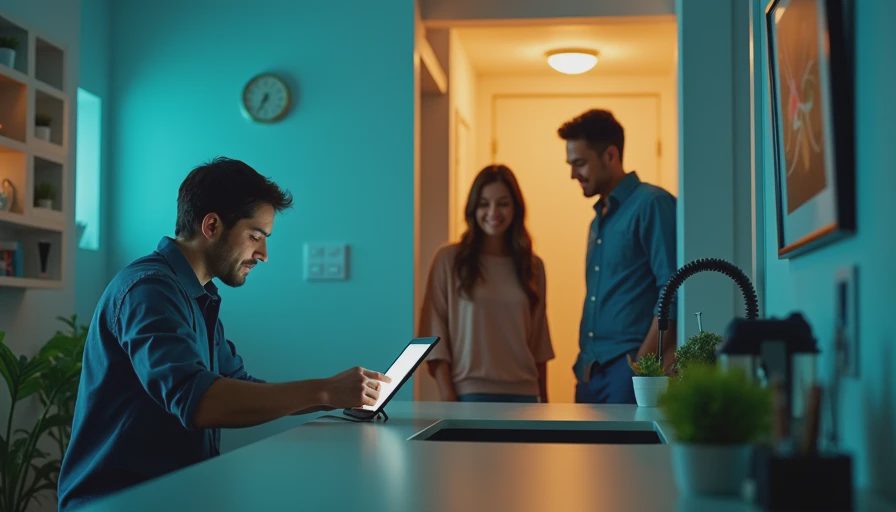
Know what the electrician is fixing before the drywall closes
The part nobody sees is usually the part that matters. Some switch boxes have a neutral wire. Some do not. Some are deep enough for a smart dimmer and some barely leave room for the conductors, let alone the device and the faceplate. If the project touches a panel, a multi-way circuit, or a room with older wiring, it is worth slowing down and checking the real conditions before you buy parts.
I have made the classic mistake of trusting a spec sheet more than a tape measure. A shallow dimmer fit the listing and still would not sit right in the box. That meant a return trip, a different device, and an extra hour of work after dinner. Not ideal, but also not a disaster if the wall is still open. If your job also needs AFCI or GFCI protection in the right room, or a breaker label that actually matches the load, deal with that now instead of after the trim is back on.
Automations that pay back time, comfort, and a little cash
The best automations are boring because they disappear into daily life. Porch lights that come on at sunset. Bathroom fans that run twenty minutes after the switch is off. Hallway lights that wake up at 20 percent after midnight instead of blasting full brightness. Leak sensors under the water heater, dishwasher, and sink. A $25 sensor that shuts off a valve can save a floor, and that is a much better return than a cool app screen.
The energy math is not magical. A 60-watt light left on four extra hours a day uses about 7 kWh a month, which is only a few dollars at common US rates. A smart thermostat can shave a little runtime if the schedule is set well, but it is not a miracle cure for bad insulation or leaky windows. The real win is that the house starts behaving like someone lives there even when nobody is thinking about it.

Phase the project so the budget stays sane
A smart home automation installation works best when the first phase solves one daily irritation. I tell homeowners to stack the jobs in this order: lighting, comfort, then safety. Lighting gives the fastest feedback because you can feel the change the same night. Comfort is next: thermostat schedules, fan run-on, and maybe a room sensor in a cold bedroom. Safety comes after that: leak sensors, smart smoke alarms if you want them, and door or garage monitoring if those gaps bother you.
A modest first phase can stay under $1,000 if you choose carefully. If you are swapping plug-in gear and a few switches, one weekend is often enough. If the work involves in-wall wiring, plan for a day per room and some patience. The trick is to avoid buying every category at once. Finish one layer, live with it, then decide whether the next layer earns its keep. That approach keeps the budget from drifting into fantasy-house territory.
Smart home automation installation questions to ask before you hire anyone
Ask whether the installer will check neutrals, box depth, and load ratings before quoting devices. Ask whether they can work with your panel label, add a dedicated circuit if needed, and leave behind a map that a future electrician can read. Ask what happens if a switch fails in two years and the model is discontinued. Ask whether the system can still do basic things locally if the internet drops. Get the device list and the scope in writing so there are fewer surprises later.
If the answers are vague, keep looking. The best installer is not the one with the flashiest app demo. It is the one who understands wiring, configuration, and the ugly middle between the two. That is the difference between a pile of gadgets and a house that feels calmer, cheaper, and easier to run.


Letters
No letters yet — be the first to write.